
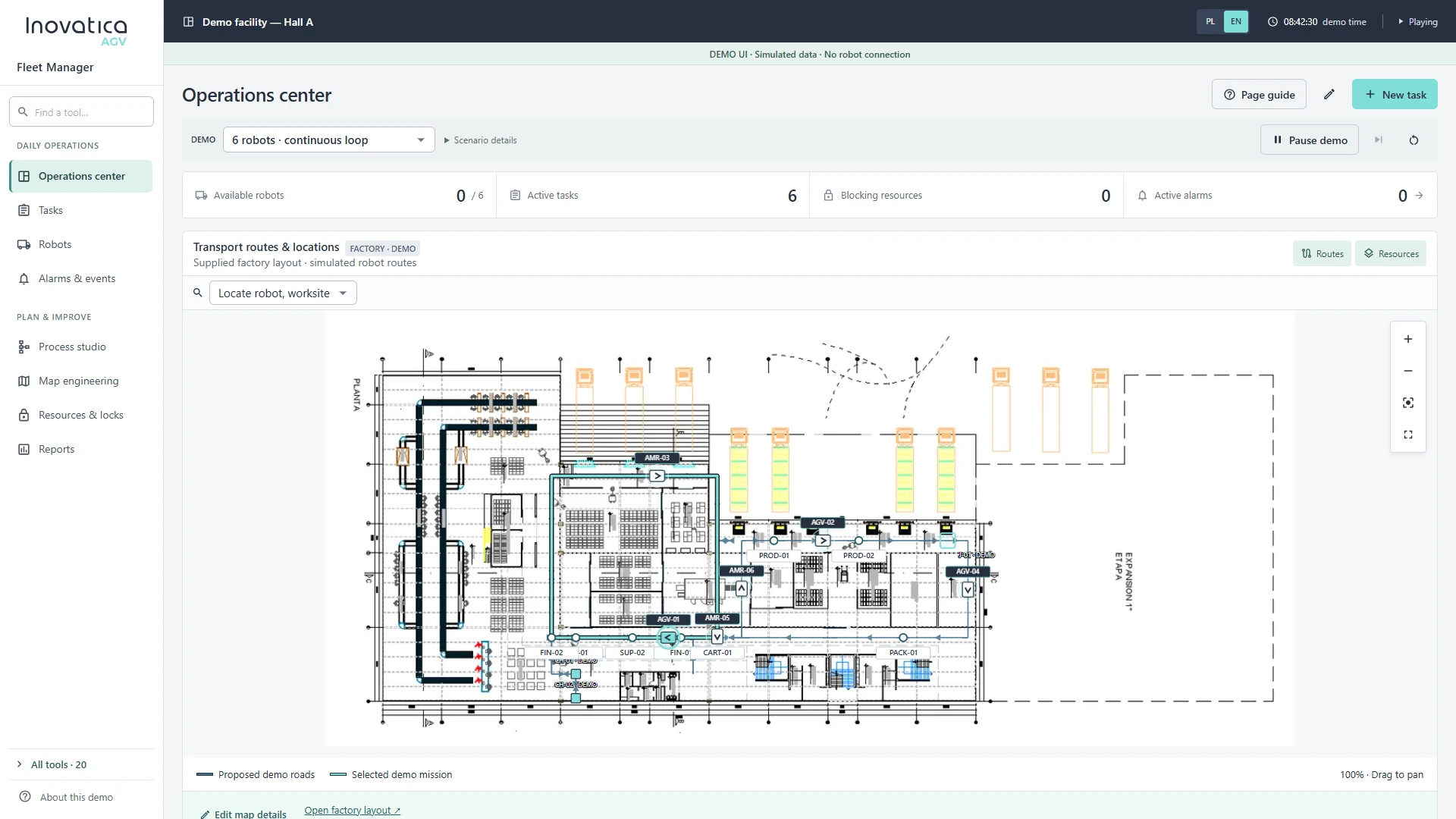
Operations center
A factory floor plan with robot positions and routes helps operators assess the situation. Active tasks, available vehicles, blocking resources and alarms highlight where attention is needed.
AGV / AMR fleet management software that brings robot monitoring, transport tasks and process workflows into one environment.
From the situation on the factory floor to individual vehicle details and completed transports. Inovatica Fleet Manager helps operators understand fleet activity and gives intralogistics teams a clearer basis for planning improvements.
Robots, active tasks, alarms and resources on one operations screen.
Clear sequences for transport, waiting for resources and recording events.
Transport, robot utilization and event reports to support fleet analysis.
Explore example Inovatica Fleet Manager screens and see how robot, task and process information comes together in one system.
A factory floor plan with robot positions and routes helps operators assess the situation. Active tasks, available vehicles, blocking resources and alarms highlight where attention is needed.
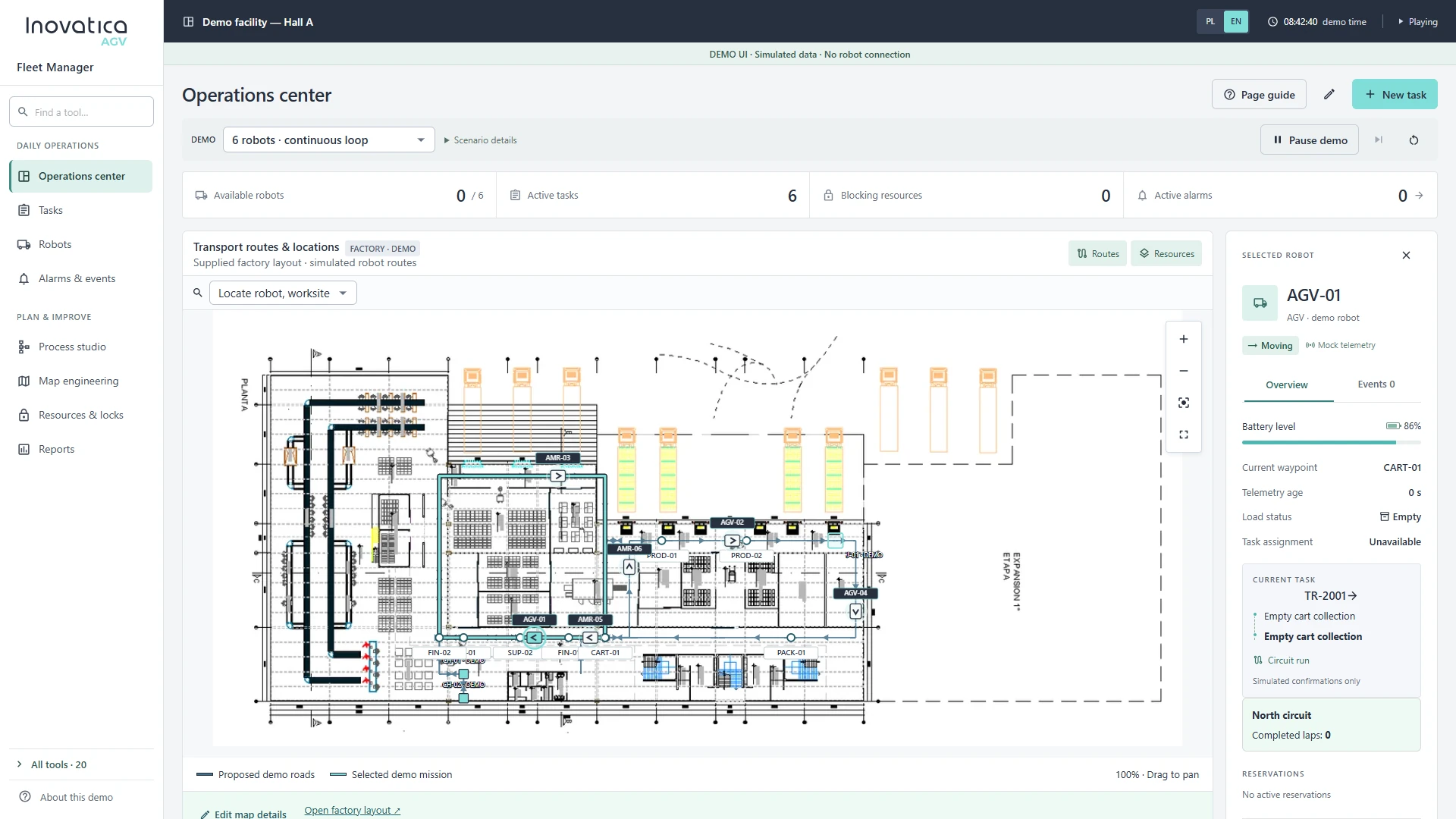
Move from the fleet overview to an individual vehicle. The robot panel presents its state and task context alongside the map, connecting device information with activity on the factory floor.
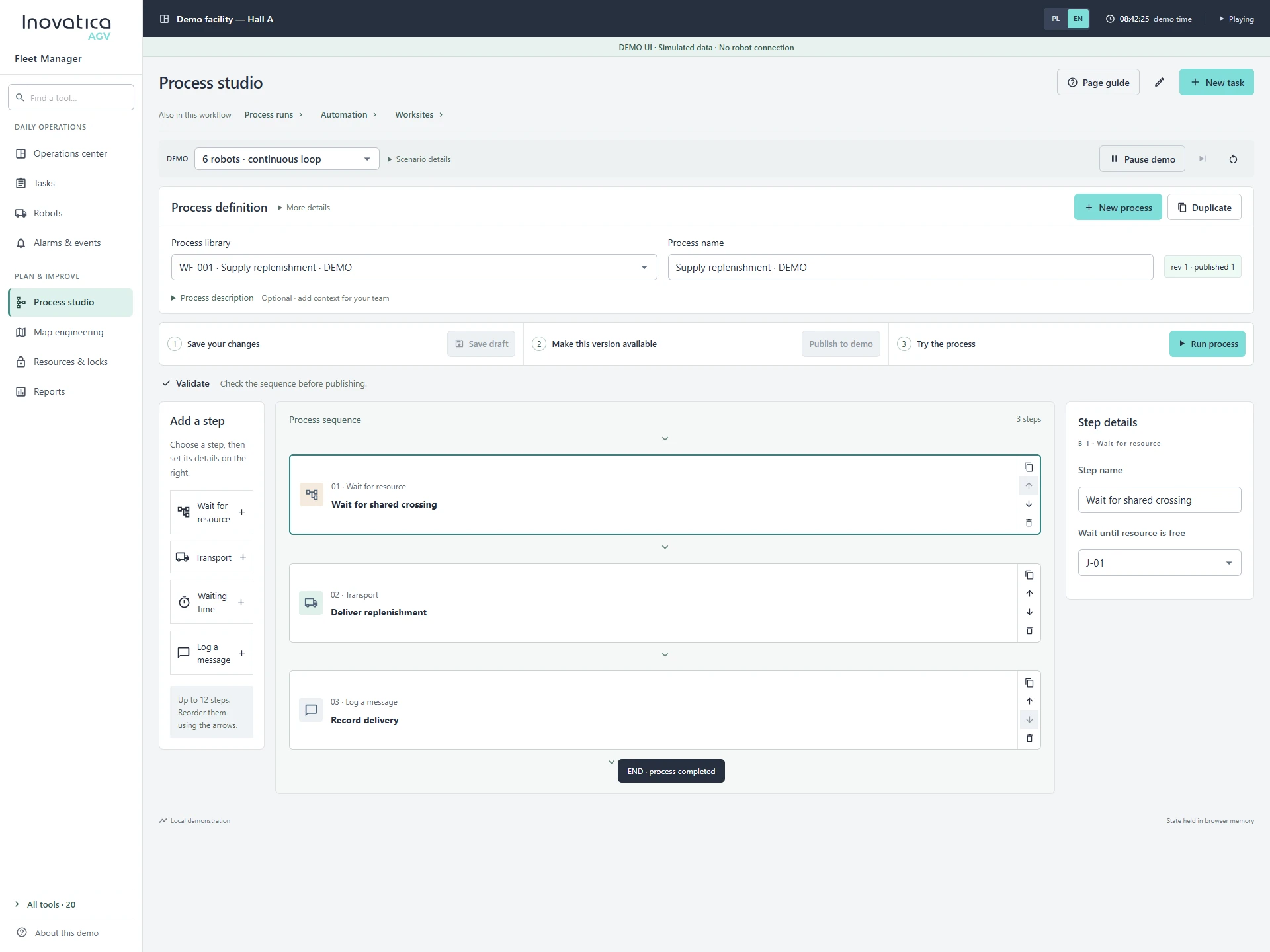
Build sequences from clear steps: wait for a resource, transport a load, add a delay or log an event. A structured process definition makes it easier to review logic and prepare changes to material flow.
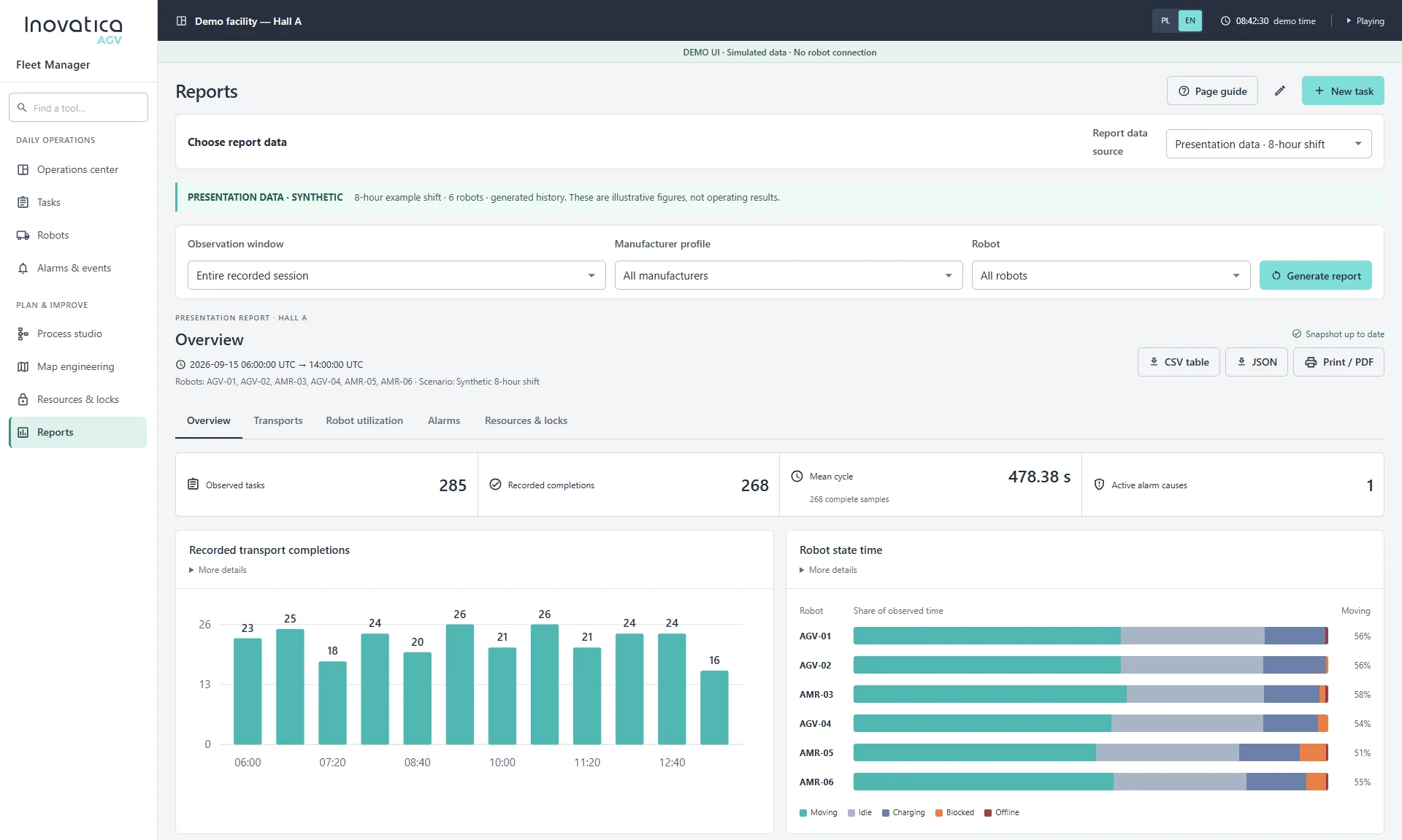
Review completed transports, cycle times, robot utilization, alarms and resource locks. Filters and data exports support operational reviews and help teams plan improvements.
The fleet manager acts as a supervisory system, connecting transport orders with vehicle activity and resource availability. WMS, MES or ERP integration, traffic rules and infrastructure interfaces are scoped for each deployment.
Define where orders originate and which updates need to return to the site’s business systems.
Map pick-up and drop-off points, priorities and shared resources.
Plan the first phase and further areas of automation as the fleet expands.
We will review your vehicles, transport workflows, task sources and integration needs to define the right system scope for your site.
This site uses cookies for core functionality and basic analytics. By clicking "Got it", you accept their use.
Privacy policy